

Blog
Back to School SVG Cut Files: Free Cricut & Silhouette Designs

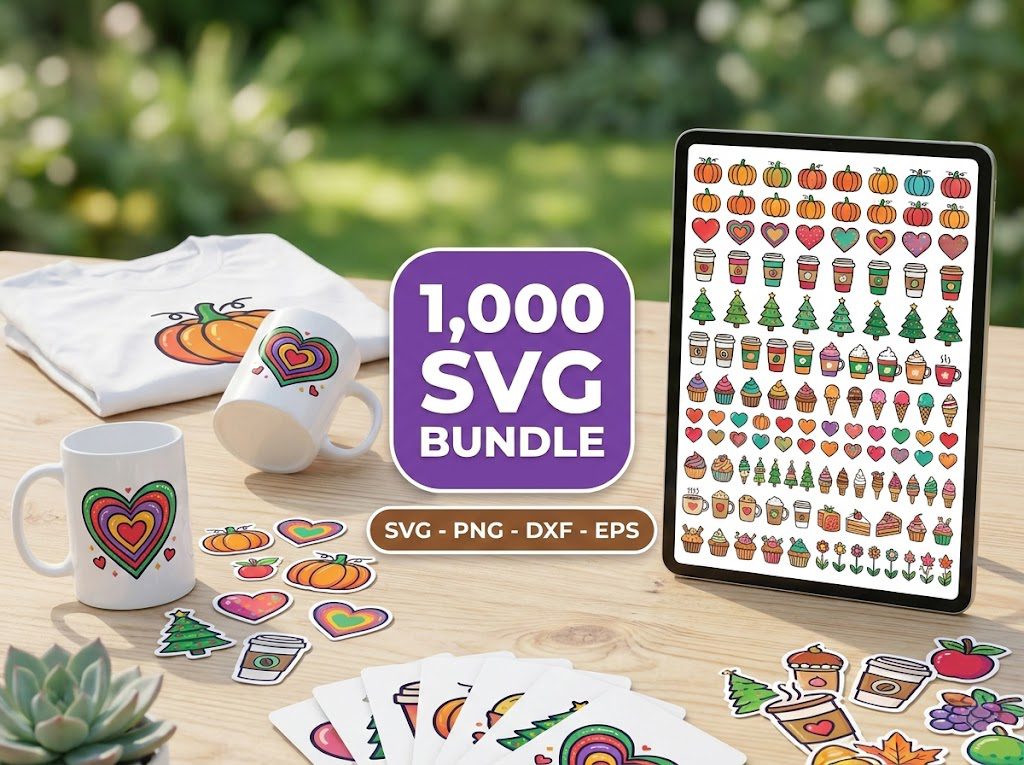
I still remember the August afternoon I sat at my kitchen table surrounded by blank water bottles, plain tote bags, and a pile of iron-on vinyl — absolutely determined to make the most adorable first-day-of-school supplies for my daughter. I had the Cricut. I had the materials. What I did NOT have was a single back to school SVG cut file that I actually liked. Everything I found online was either blurry, overpriced, or came out looking like a pixelated mess when I tried to resize it. Sound familiar?
If you’ve ever felt that frustration, you are in exactly the right place. Today we’re rounding up the best back to school SVG cut files — including free ones you can grab right now — plus step-by-step instructions for using them on your Cricut or Silhouette machine. Whether you’re personalizing a backpack, making Teacher Gifts”>teacher gifts, or building a back-to-school Etsy shop, this post has everything you need.
Let’s dive in and make this school season your most creative one yet!
What Are Back to School SVG Cut Files?
SVG stands for Scalable Vector Graphic. Unlike a JPEG or PNG, an SVG file is made of mathematical paths — which means you can resize it from the size of a postage stamp to a giant banner and it will look perfectly crisp every single time. That’s exactly why Cricut and Silhouette machines love them.
Back to school SVG cut files are vector designs specifically themed around the school year. Think pencils, apples, rulers, school buses, chalkboards, backpacks, graduation caps, ABCs, and inspirational teacher quotes. They’re designed to be cut from vinyl, cardstock, iron-on, or any other material your cutting machine handles.
You can use SVG files for Cricut to make:
- Personalized school supply labels
- Custom iron-on designs for t-shirts and tote bags
- Classroom door decorations
- Teacher appreciation gifts
- First day of school photo props
- Bulletin board décor
- Lunchbox notes and stickers
The beauty of SVG files is that one design file can do all of those things — just resize and go. That’s the magic that makes every crafter’s heart sing.
Best Free Back to School SVG Cut Files to Download Today
Before we get into the paid bundles (which are absolutely worth it — more on that later), let’s talk about the free options. At BundleArtSVG, we offer a growing collection of free SVG downloads that you can grab with no strings attached. Instant download, no email required for many, and yes — commercial use is included.
Here’s what to look for in a quality free back to school SVG cut file:
- Clean paths: Open the file in Design Space or Silhouette Studio and check that all paths are smooth, not jagged or broken.
- Proper layering: Multi-color designs should have separate layers so you can cut each color from a different vinyl sheet.
- Correct file format: Look for a ZIP file containing .SVG, .DXF, .EPS, and .PNG versions — this covers Cricut, Silhouette, and every other use case.
- License clarity: Make sure personal AND commercial use are both permitted, especially if you plan to sell finished items.
Our Free SVG Files Collection is updated regularly with seasonal designs — including back to school themes every July and August. Bookmark it now so you never miss a new drop.
Step 1: Finding and Downloading Your Back to School SVGs
The first step is sourcing high-quality back to school SVG cut files. Not all free SVGs are created equal — some are low-resolution raster images disguised as SVGs, which will cut terribly. Here’s how to find the good ones fast.
- Stick to trusted sources: Use BundleArtSVG’s freebies page or our paid bundles for guaranteed quality. Every file is tested for clean cuts.
- Search specifically: Use terms like “back to school SVG Cricut pencil”, “teacher apple SVG cut file”, or “school bus SVG Silhouette” to find exactly what you need rather than browsing generic SVG sites for hours.
- Check the preview image: A good SVG product listing will show a mockup of the design on an actual project — a shirt, a tumbler, a tote bag. If the preview is just a plain white background with a tiny image, skip it.
- Download to a dedicated folder: Create a folder on your computer called “Back to School SVGs 2024” and save everything there. This saves you the frantic file-searching panic at 11pm the night before school starts.
- Unzip immediately: Most SVG files come in a ZIP archive. Extract the files right away and delete the ZIP. Cricut Design Space cannot read a zipped file.
Step 2: Importing Your SVG Into Cricut Design Space or Silhouette Studio
Once you have your back to school SVG cut files downloaded and unzipped, it’s time to bring them into your cutting software. The process is slightly different for Cricut vs. Silhouette, so let’s walk through both.
- Cricut Design Space: Open Design Space, start a new project, and click the “Upload” button on the left panel. Choose “Upload Image,” then select “Complex” for detailed back to school designs like pencils with fine lines, or “Simple” for bold shapes like a school bus or apple. After uploading, click “Insert Images” to add it to your canvas.
- Silhouette Studio: Go to File → Open and navigate to your SVG file. If you’re using the free version of Silhouette Studio, you’ll need to use DXF format instead of SVG — this is why we always recommend downloading bundles that include both formats.
- Resize before cutting: For iron-on shirt designs, aim for 8–10 inches wide for adult sizes, 6–7 inches for kids’ shirts. For water bottle labels, 3–4 inches tall is the sweet spot. For backpack tags, keep designs under 3 inches square.
- Check for ungrouping needs: Multi-color back to school SVGs will often import as a grouped file. In Design Space, click “Ungroup” to separate each color layer so you can assign different vinyl colors to each piece.
- Use “Attach” for multi-piece designs: If your back to school design has separate text and an icon (like a pencil with the child’s name), use the Attach function in Design Space to keep them positioned correctly on the mat when cutting.
Step 3: Choosing the Right Materials and Machine Settings
Getting your machine settings right is the difference between a clean, beautiful cut and a frustrating mess of torn vinyl. Here are the specific settings you’ll need for the most popular back to school SVG projects.
- Adhesive Vinyl (for water bottles, lunch boxes, labels): Use the “Vinyl” setting on Cricut Explore or Joy. Pressure: Default. Blade: Fine Point. One pass is usually enough. For Silhouette, set blade depth to 2, speed to 8, force to 10.
- Iron-On / HTV (for shirts, tote bags, backpacks): Use “Everyday Iron-On” setting on Cricut. Always mirror the design. Apply with an EasyPress at 315°F for 30 seconds on cotton, 305°F for blends. For Silhouette, blade depth 1, speed 5, force 8.
- Cardstock (for classroom decorations, photo props, gift tags): Use “Cardstock” setting — 65 lb is ideal for back to school decorations. Cricut recommends the StrongGrip mat for cardstock. For intricate pencil or apple designs, slow the speed to 3 in Silhouette Studio for cleaner cuts.
- Glitter Cardstock (for bulletin boards and door hangers): Use “Glitter Cardstock” setting. Increase pressure by one notch if edges are tearing. This material is gorgeous for back to school chalkboard-style signs.
- Permanent Vinyl (for teacher mugs and tumblers): Use Oracal 651 or similar permanent vinyl. Set machine to “Vinyl+” or increase pressure slightly. These items will be washed frequently, so permanent vinyl is a must over removable.
Step 4: Cutting, Weeding, and Applying Your Back to School Designs
You’ve got your settings dialed in. Now it’s time to actually make the magic happen. Here’s how to cut, weed, and apply your back to school SVG cut files like a pro.
- Do a test cut first: Before committing a full sheet of vinyl, do a small test cut of a simple shape (like the apple from your back to school design). Check that the blade cuts through the vinyl but not the backing paper. Adjust pressure up or down by one increment if needed.
- Weeding tools are non-negotiable: Use a weeding hook (also called a pick tool) to remove the negative vinyl around your back to school design. Start from a corner and work inward. For tiny details like the lines on a pencil or letters in a name, a pair of fine-tip tweezers is your best friend.
- Transfer tape for adhesive vinyl: Cut a piece of transfer tape slightly larger than your design. Burnish it firmly over the weeded design using a scraper tool, then peel the backing off slowly at a 45-degree angle. Position your design on the water bottle or lunch box, burnish again, then peel the transfer tape away slowly.
- HTV application tips: Pre-press your shirt or tote bag for 5 seconds to remove moisture and wrinkles. Place your mirrored, weeded HTV design shiny-side down onto the fabric. Cover with a Teflon sheet or parchment paper. Press firmly at the correct temperature and time for your vinyl brand. Let cool completely before peeling — most HTV is “cold peel.”
- Layering multiple colors: When your back to school SVG has multiple vinyl colors (like a colorful school bus), cut and apply the bottom layer first, let it cool fully, then align and press the next layer on top. Use a light box or window to help with alignment on HTV layers.
10 Creative Back to School SVG Project Ideas
Now that you know how to use your back to school SVG cut files from download to finished project, let’s spark some inspiration. Here are 10 projects that are genuinely popular right now — perfect for gifts, your own kids, or your Etsy shop.
- Personalized Backpack Tags: Cut a name design from glitter HTV on a piece of thick acrylic or leather. Add a keyring loop. These sell for $8–$15 each on Etsy and cost less than $1 to make.
- First Day of School Shirt: Use a “Grade Level” SVG (like “Hello 3rd Grade” with a pencil icon) on a plain white tee. Takes about 20 minutes start to finish.
- “Back to School” Photo Prop Signs: Cut chalkboard-style back to school SVG designs from black cardstock and mount on foam board. Perfect for those viral first-day-of-school photos.
- Teacher Appreciation Tote Bag: “Teach Love Inspire” or “Best Teacher Ever” SVGs on a canvas tote with a bouquet of pencils inside make the most thoughtful gift. Budget: under $5 total.
- Personalized Water Bottle Labels: Cut a child’s name plus a fun back to school motif (pencils, stars, books) in permanent vinyl. These last all year even with daily washing.
- Classroom Door Sign: Large-format cardstock cuts of “Welcome Back” lettering with apple and pencil accents make a classroom door look incredible. Great for teacher gifts too.
- Lunchbox Vinyl Stickers: Cut small designs (2–3 inches) in removable vinyl. Kids can peel and reuse them, and they won’t damage the lunchbox.
- School Supply Organization Labels: Cut labels for crayon boxes, pencil pouches, folders, and binders. Use a simple font with a small icon — clean and functional.
- Teacher Mug with Name: Permanent vinyl on a ceramic mug. Add a school-themed SVG like “Coffee Fueled Teacher” or a simple apple design. Pair with a gift card for a $20 gift that looks like it cost $50.
- Graduation Cap Tassel Charm: For 8th grade or high school graduations that happen to coincide with the school year, cut small acrylic charms from back to school SVG designs for a personalized tassel decoration.
If you’re looking for even more inspiration, our SVG files for Cricut collection has thousands of school-themed designs ready to download instantly.
Best Materials for Back to School SVG Projects
Your back to school SVG cut files will only look as good as the materials you cut them from. Here’s a quick breakdown of what to buy — and what to skip — for the most popular back to school projects.
- Oracal 651 Permanent Vinyl: The gold standard for water bottles, mugs, and lunchboxes. Waterproof, dishwasher-safe (top rack), and available in 63+ colors. Cost: about $1.50 per 12×12 sheet.
- Siser EasyWeed HTV: The most beginner-friendly iron-on vinyl for shirts and bags. Weeds beautifully even on small text — perfect for personalized name designs. Cost: about $2–$3 per 12×12 sheet.
- 65 lb Cardstock: Ideal for classroom decorations, photo props, and gift tags. Avoid anything under 60 lb — it tears too easily on detailed back to school SVG designs. Cost: about $0.10–$0.15 per sheet.
- Glitter Cardstock: Makes bulletin boards and door hangers absolutely pop. Works beautifully with bold back to school designs like large block letters and simple icons. Cost: about $0.30–$0.50 per sheet.
- Printable Vinyl: Print your design on your inkjet printer, then cut with your Cricut using Print Then Cut mode. Perfect for photorealistic back to school designs with gradients or multiple colors. Cost: about $1–$2 per sheet.
Best SVG Bundles for Back to School Season
Free SVGs are wonderful for getting started, but if you’re making multiple projects — or selling on Etsy — you need a library of designs at your fingertips. That’s where our bundles come in. With over 27,000 designs trusted by thousands of Cricut crafters, BundleArtSVG has you covered for the entire school year and beyond.
500,000+ Ultimate SVG Mega Bundle
Only $29.99
4.96/5 stars from 26 reviews — the most complete SVG library for Cricut crafters. Just $0.000059 per file.
Think about it this way: at $0.000059 per file, you could use a different back to school SVG cut file every single day from now until your kids graduate college and still not run out of designs. The 500,000+ Ultimate SVG Mega Bundle is the only SVG purchase you’ll ever need to make.
4000+ Magical Mega SVG Bundle
Only $7.99
5.00/5 stars — 4,000+ designs for just $0.002 per file.
The 4000+ Magical Mega SVG Bundle is a perfect entry point if you’re newer to crafting with SVGs. A perfect 5.00/5 star rating from 24 reviewers doesn’t happen by accident — these files are clean, well-organized, and ready to cut right out of the (digital) box. At $7.99, it costs less than a single Starbucks trip and will fuel your creativity for years.
Selling Back to School SVG Projects on Etsy
Back to school season is one of the biggest selling windows of the year for Etsy crafters. Searches for personalized school items spike dramatically every July and August. If you’ve been thinking about starting an Etsy shop — or you already have one — this is your moment.
Here’s what sells best on Etsy during back to school season:
- Personalized name items: Anything with a child’s name on it sells. Backpack tags, water bottle labels, pencil pouches, lunch bags. Parents pay a premium for personalization.
- Teacher gifts: “World’s Best Teacher” mugs, tote bags, and ornaments are perennial bestsellers. List them starting in late July.
- Classroom decor bundles: Sell sets of matching bulletin board letters, door signs, and desk labels. Bundle pricing ($25–$40 for a set) works well here.
- Grade-level shirts: “Hello Kindergarten,” “Future 5th Grader,” etc. These are highly searchable and easy to make in batches.
All of our SVG bundles include a commercial use license, which means you can legally sell finished products made from our designs on Etsy, at craft fairs, or anywhere else. No extra fees, no royalties — it’s all included in your one-time purchase price.
Want more ideas for your shop? Browse our full range of SVG files for Cricut — new designs are added weekly, so there’s always something fresh to list.
Best Fonts for Back to School SVG Designs
A beautiful back to school SVG design is only as good as the font you pair it with. For school-themed projects, you generally want one of three font styles: a playful handwritten script for kids’ items, a bold sans-serif for teacher gifts, or a classic chalkboard-style font for classroom décor.
For just $0.99, you get 45 fonts that are specifically optimized for Cricut cutting — meaning they have clean paths that cut crisply even at small sizes. That’s perfect for personalizing school supply labels where you might be cutting a child’s name at just 0.75 inches tall. At $0.022 per font, this is the best value in crafting fonts, period.
Here are some font pairing tips for back to school SVG projects:
- Kids’ items: Pair a bouncy script (for the name) with a simple sans-serif (for the grade or school name). Keep it fun and readable.
- Teacher gifts: A thin elegant serif for the main message + an all-caps bold font for emphasis. Example: “Thank you for” in script, “MAKING A DIFFERENCE” in bold caps.
- Classroom décor: Chalkboard-style fonts with slight imperfections look amazing on black cardstock or chalkboard vinyl. They read as “educational” without being boring.
- Keep it to two fonts max: Using more than two fonts in a single back to school SVG design almost always looks cluttered. One script + one print is the classic winning combo.
Common Mistakes to Avoid With Back to School SVG Cut Files
We’ve covered the big mirror mistake already, but there are a few more pitfalls that trip up even experienced crafters during back to school season. Let’s save you some time, money, and frustration.
Other mistakes to watch for:
- Cutting too fast on detailed designs: A school bus with windows, wheels, and details needs a slower cut speed than a plain apple. Slow down to avoid tearing on fine lines.
- Not test-cutting new vinyl: Every brand and color of vinyl behaves slightly differently. Always do a small test cut when you open a new roll.
- Skipping the pre-press on HTV projects: Moisture in fabric causes HTV to not adhere properly. Always pre-press for 5 seconds before applying your back to school iron-on design.
- Using removable vinyl on water bottles: Kids wash their water bottles (or they get thrown in dishwashers). Always use permanent vinyl for anything that will get wet or washed.
- Forgetting to weld text before cutting: If your back to school SVG has script lettering where the letters touch, make sure to use the Weld function in Design Space before cutting. Otherwise, each letter will cut as a separate piece and your design will fall apart during weeding.
And don’t forget — if you love school-themed crafts, you’ll also love our coloring pages for the classroom, and our crochet patterns for making adorable back to school amigurumi like tiny pencils, apples, and school buses!
Get Free Designs
🎁 Get FREE Designs Today!
Expand your free file collection with even more no-cost SVG designs.
Our freebies page is stocked with back to school SVG cut files, seasonal designs, holiday themes, and so much more — all completely free to download and use. New free designs are added regularly, so check back often. It’s the perfect way to build your SVG library without spending a dime.
And when